How to Benchmark Mobile AI Agents on Real Devices
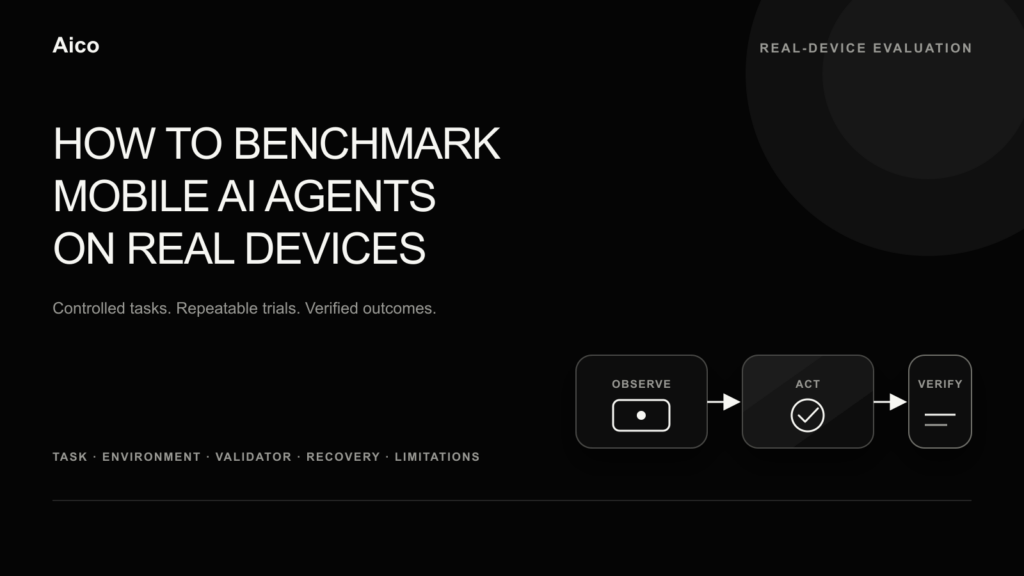
Mobile AI agent benchmarking measures whether an agent can complete defined smartphone tasks through a visible interface under controlled device, app, network, and human-control conditions.
A valid result evaluates more than model output. It evaluates the observation path, action path, device state, operating system, app build, task reset, validator, and intervention rules used in each run.
Mobile AI agent benchmarking requires an explicit evaluation scope
Define the system boundary before creating tasks. A model benchmark, an agent benchmark, and an end-to-end real-device benchmark answer different questions.
| Evaluation layer | Measure | Useful evidence | Does not prove |
|---|---|---|---|
| Model | Screen understanding, grounding, planning, action selection | Screenshot-to-action accuracy, structured decisions | Device input reliability or app state changes |
| Agent | Multi-step reasoning, tool choice, retries, recovery, stopping | Task traces, validator outcomes, handoff events | Physical capture and input behavior |
| Agent-tool stack | Prompts, tools, memory, orchestration, validators | Tool logs, action results, final sandbox state | Real display capture, cable, HID, or device-specific behavior |
| Real-device system | Full display-to-observation-to-action loop | Device video, input events, system logs, end-state validation | Reliability outside the tested configuration |
Use the term real device AI testing only when the target is a physical phone or tablet. An emulator, simulator, device cloud, and locally managed phone can all support testing, but they produce different evidence.
Use on-device AI benchmarking carefully. The phrase can mean testing on a physical device or running inference locally on that device. A physical-device test does not establish where inference runs. State the model provider, runtime configuration, observation method, and action channel in the report.
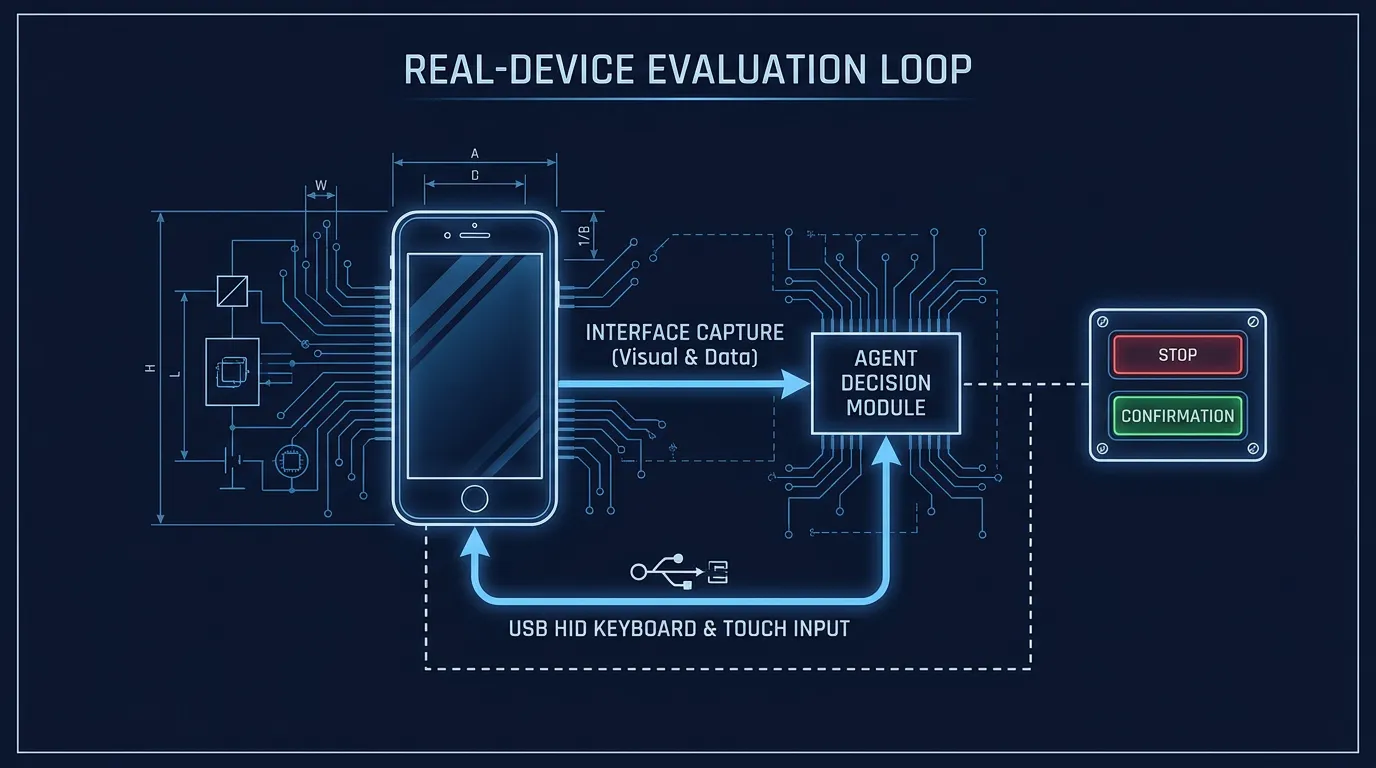
For physical AI-agent workflows, identify the complete route:
- The device displays an interface.
- The benchmark system observes the interface through screenshots, an accessibility tree, a camera, display capture, or another declared method.
- The agent selects an action.
- The system sends that action through ADB, an automation framework, USB HID, a physical actuator, or another declared method.
- A validator checks the final state.
Aico Link is being developed as an open-source physical AI-agent platform for interacting with compatible device interfaces. Its current technical context distinguishes physical display capture and USB HID input from development paths such as ADB, emulators, environment bridges, and deterministic mocks. Those paths should be reported separately because they test different parts of the system.
Mobile AI agent benchmarking should use the right test environment
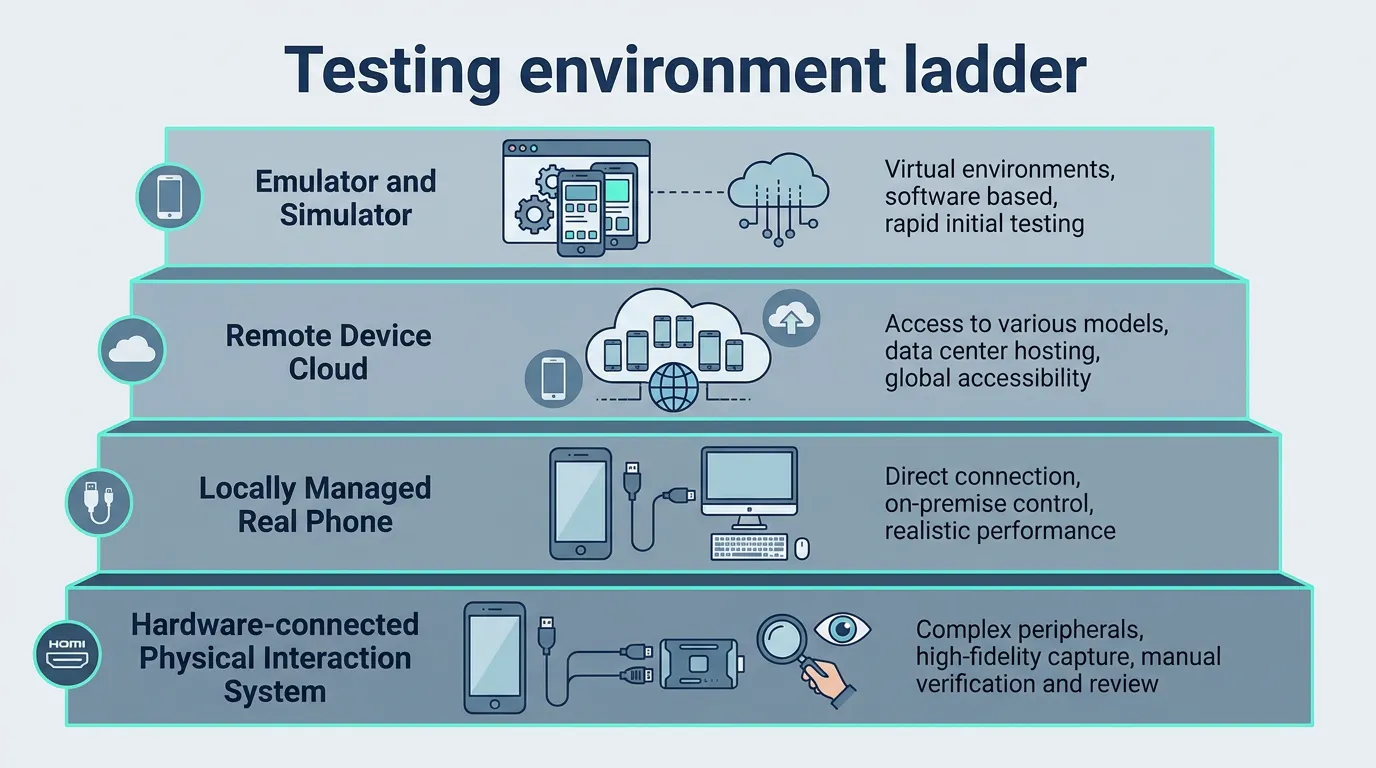
Use a layered environment stack. Do not label all results as real-device results.
| Environment | Best use | Strengths | Limits |
|---|---|---|---|
| Emulator or simulator | Fast development and regression testing | Fast reset, broad OS matrix, controlled fixtures | Does not reproduce all physical hardware, peripheral, radio, OEM, or capture behavior |
| Device cloud | Compatibility checks across hosted physical devices | Access to device diversity without maintaining a fleet | Limited local instrumentation and network control |
| Local physical device | Debugging and controlled experiments | Direct inspection, video capture, local network shaping | Limited device coverage and more maintenance |
| Hardware-connected device path | End-to-end validation of physical observation and input | Tests capture, adapters, timing, HID, calibration, and visible UI state | Requires strict setup control and reproducible hardware records |
Android positions the Android Emulator as a practical way to test device and API combinations. Android also documents emulator limitations involving hardware features such as Bluetooth, NFC, USB, and attached headphones in its advanced emulator guidance.
Use emulators for rapid iteration. Use real phones for conditions that depend on the actual device, display path, physical input route, operating system variation, thermal state, hardware peripherals, or manufacturer-specific behavior.
Device clouds can expand physical coverage. Firebase Test Lab supports testing on remote physical and virtual devices. AWS Device Farm provides hosted device testing and remote access options. Neither replaces a controlled local setup when the claim concerns a custom capture path, USB HID behavior, adapters, or private-network conditions.
For Aico Link evaluation, name the route in every result:
- Physical device plus display capture and USB HID.
- Physical Android device plus ADB.
- Android emulator.
- MobileGym or another environment bridge.
- Desktop or custom bridge.
- Deterministic mock fixture.
Do not present bridge, mock, ADB, or emulator results as physical Aico Link performance.
Mobile AI agent benchmarking needs resettable tasks and state validators
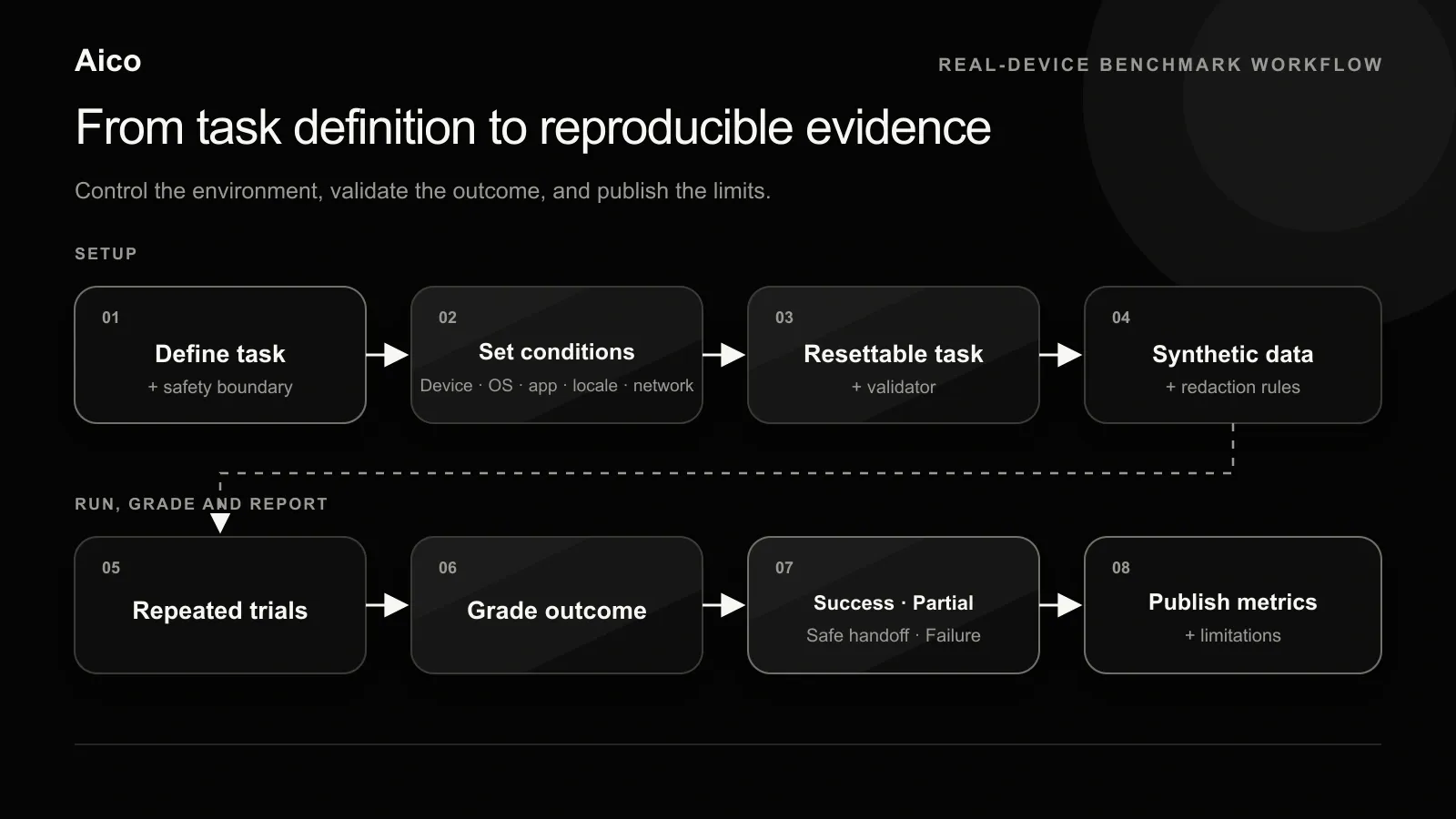
Define each task as a controlled test case. A natural-language instruction alone is not a reproducible benchmark.
Use a task specification with the following fields:
- Instruction: The exact request shown to the agent.
- Preconditions: Required app state, account role, permissions, locale, orientation, and network profile.
- Allowed action path: The permitted tools or input route.
- Safety boundary: Actions that require confirmation, handoff, or refusal.
- Start state: A known device and application state.
- Reset procedure: Steps that return the device and fixtures to the same start state.
- Success criteria: Mandatory final conditions.
- Partial criteria: Pre-registered, verifiable subsets of the objective.
- Disqualifying actions: Unsafe or prohibited side effects.
- Evidence requirement: Validator output, redacted screenshots, logs, or other artifacts.
Use end-state validation instead of relying on an agent’s statement that it completed a task. Research benchmarks including AndroidWorld, WebArena, and OSWorld use programmatic or execution-based evaluation patterns because plausible action traces do not prove that the intended state was reached.
Use synthetic data and sandbox systems for tasks that would otherwise create external side effects. Do not use live personal accounts, production credentials, payment details, or irreversible submissions in a general benchmark.
A practical task suite should include low-risk baseline tasks and disruption-rich release tasks.
| Task category | Example benchmark task | Required validator | Boundary |
|---|---|---|---|
| Information retrieval | Find a support article and report its visible title | Correct page and title are visible | Read-only |
| Search and filtering | Find a test catalog item and apply a specified filter | Correct filter state and result ID | No checkout flow |
| Synthetic form completion | Complete test fields and stop on the review screen | All required fields match synthetic fixture data | Do not submit |
| Multi-app handoff | Copy a test reference number into a sandbox form | Exact string appears in target field | Test-only data |
| Settings discovery | Navigate to a defined low-impact setting without changing it | Correct page and setting are visible | No changes |
| Controlled notifications | Identify and dismiss a benign test notification | Correct notification action is logged | No sensitive content in traces |
| Interruption and redirection | Stop one task and locate a different help page | No stale action after redirection | Original task remains stopped |
| Confirmation boundary | Reach a review state before a sandbox submission | Agent pauses and requests confirmation | Must not execute final action |
Use separate test suites for routine capability, recovery, intervention, and unsafe-action boundaries. A single average score conceals meaningful differences between these behaviors.
Mobile AI agent benchmarking must measure authorized completion and recovery
Use a balanced scorecard. Count a task as successful only when every mandatory end-state criterion is verified and no disqualifying safety violation occurred.
| Metric | Measurement rule | Report with |
|---|---|---|
| Authorized task success | Verified completion without a disqualifying action | Count, denominator, confidence interval |
| Partial completion | Pre-registered verified criteria completed | Weights and scoring rule |
| Unsafe-action rate | Disqualifying actions divided by trials | Policy definition |
| Safe handoff rate | Appropriate pauses when human action is required | Scenario and reviewer rule |
| Intervention rate | Trials requiring human action | Intervention type and timing |
| Recovery rate | Correct recovery after a controlled disruption | Disruption and reset state |
| Time to completion | Start-to-validated-end duration | Median and percentile range |
| Action efficiency | Actions required for a verified success | Verification steps separated |
| Robustness | Success across named variants | Device, locale, network, accessibility matrix |
| Traceability | Runs with sufficient logs and evidence | Redaction and retention rules |
Use confidence intervals for binary metrics. NIST guidance for proportions supports reporting uncertainty with the denominator rather than a rounded percentage alone.
Use repeated trials for each stable task-condition pair. Five or more can be a practical starting point for early engineering diagnosis, but the appropriate number depends on task variability, risk, and the claim being made. Increase repetitions for release comparisons and high-risk tasks.
Randomize task order where state carryover is possible, separate development from held-out tasks, and record the model, prompt, tools, retries, timeout, and random seed where applicable. Repeated runs of one task are clustered observations, not task diversity.
Classify failures by their first meaningful cause.
| Failure class | Example signal | Required response |
|---|---|---|
| Perception or grounding | Adjacent control selected after reflow | Save screen evidence; test scaling variants |
| Planning | Correct page, wrong sequence | Review decomposition and policy |
| Action execution | Swipe becomes the wrong device event | Log coordinates, duration, acknowledgement |
| State verification | Success claimed without final evidence | Require end-state validation |
| Setup failure | Account expires or reset fails | Report separately from agent failures |
| Network or backend | Request times out | Test bounded retry and handoff |
| Permission or authentication | Permission prompt appears | Pause for user action |
| UI drift | App update changes labels or layout | Pin versions; run a drift suite |
| Accessibility or localization | Text size changes focus order | Test named accessibility and locale variants |
| Safety or control | Confirmation boundary crossed | Disqualify and review policy logic |
| Auditability | Evidence is missing | Mark the outcome unverifiable |
Mobile AI agent benchmarking must test human control and reproducibility
Human control is a measurable benchmark behavior. Test stopping, redirection, confirmation, safe handoff, fresh observation, and recovery.
The NIST AI Risk Management Framework and Generative AI Profile support documented oversight and risk management.
Test these controls as explicit scenarios:
- Issue a stop instruction during planning, observation, and action.
- Redirect the task after work on the original objective has begun.
- Interrupt a workflow with a benign notification or controlled network loss.
- Present a permission or authentication boundary and require safe handoff.
- Require fresh observation after the person completes the handoff step.
- Require confirmation before a sandboxed external submission.
Define pass conditions in advance. After a stop, no stale action should execute. After redirection, the old goal should not resume without a new instruction. After handoff, the agent must observe the current state before continuing.
Aico’s documented development context includes human handoff for authentication, permissions, ambiguity, unsupported actions, and stuck states. This does not prove correct behavior in every configuration; benchmark each workflow in its declared environment.
Record these reproducibility fields for each release report:
| Area | Required record |
|---|---|
| System under test | Agent/model version, provider, prompt/configuration hash, tools, retry and timeout policy |
| Device | Model, display characteristics, power state where relevant, physical connection path |
| Operating system | OS build, locale, time zone, keyboard, scale, accessibility settings, orientation |
| Applications | App and fixture version, account role, experiment flags |
| Observation path | Method, resolution, frame timing, failures |
| Action path | ADB, framework, USB HID or physical input; gesture semantics and latency |
| Network | Connection type, shaping profile, online/offline state, backend fixture |
| Reset | App data, permissions, notifications, storage, account state, reboot policy |
| Validation | Validator version, human-review rubric, treatment of missing evidence |
| Privacy and redaction | Synthetic-data policy, redaction, retention, access controls |

A benchmark result is conditional evidence about a named agent version, task suite, device matrix, and action path. It does not establish production reliability, compatibility with every device or app, or safety in untested conditions.
For implementation details and benchmark fixtures, review the Aico Link technical documentation and open-source repository. Report reproducible bugs and compatibility findings through GitHub Issues.
Join the Aico Discord community to discuss physical AI agents and real-device automation.
Related posts
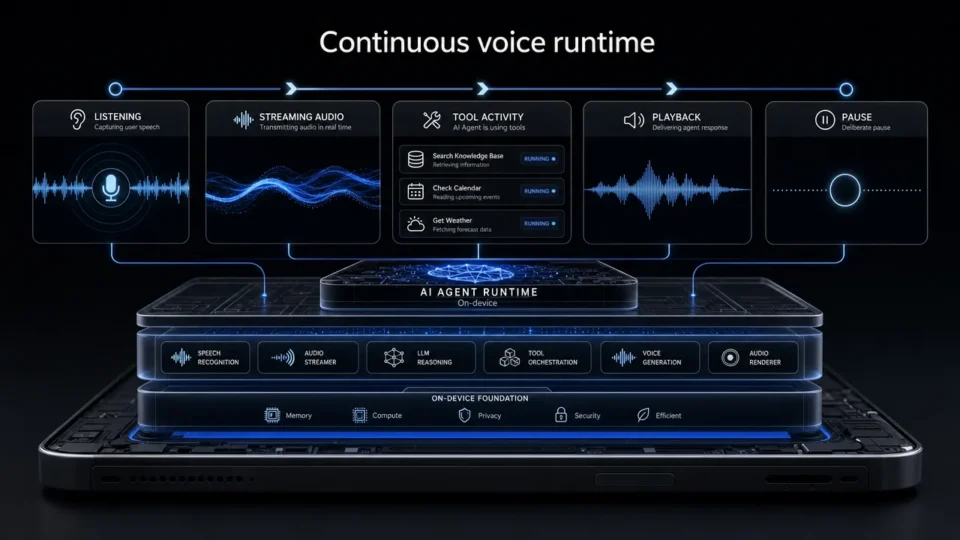
Aiden Adds Full-Duplex Voice and Interruptible Agent Tasks
Explore how Aiden’s full-duplex AI agent runtime supports streaming voice, tool interruption, and pause/resume task control states.
AI Phone Assistant vs Mobile AI Agent: What’s the Difference?
AI phone assistant vs mobile AI agent: compare planning, device control, human oversight, and multi-step task execution across real-device workflows.
What Is a GUI Agent? How AI Reads and Acts on Interfaces.
See how a GUI agent observes interfaces, grounds targets, executes actions, and verifies outcomes, with testing methods and stopping rules.